
A little word that lives on your lock screen.
Your wallpaper stays. The word changes.
Lockling puts one small bilingual word at the edge of the lock screen you already have, with its meaning in your language. It comes back before you forget.
Be the first to know when Lockling launches.
One email at launch, no spam. To be removed, email support@lockling.app. Privacy
- Free forever plan
- No ads
- No account
- Works offline
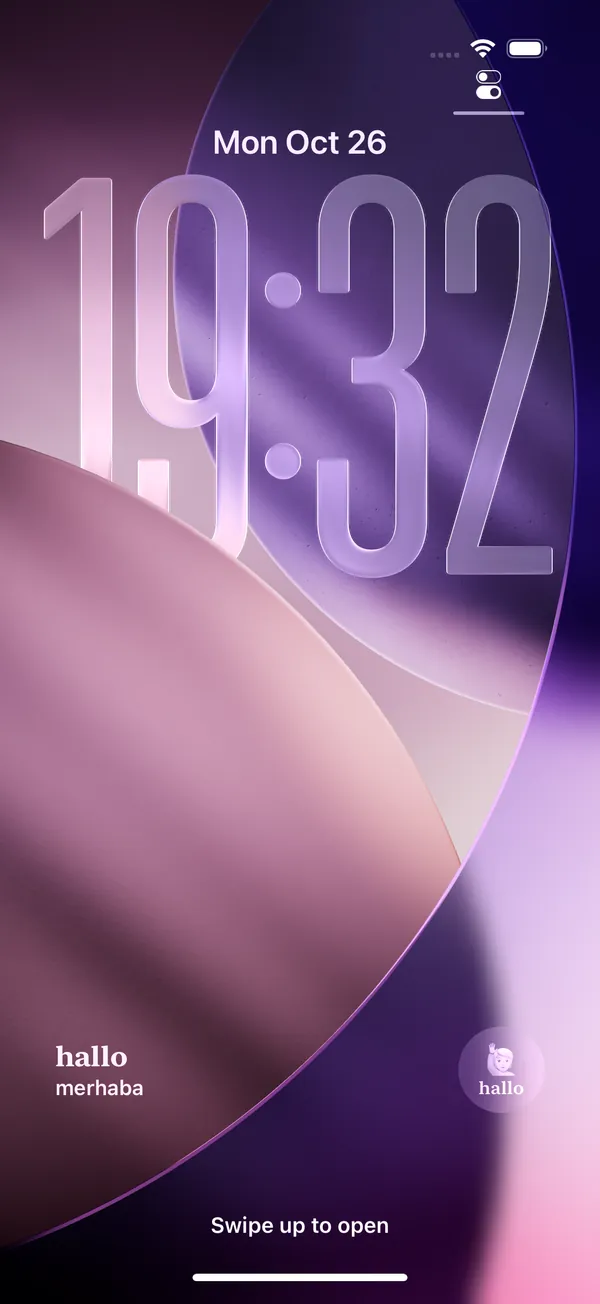
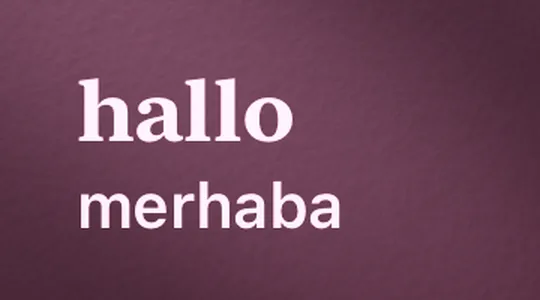
Real iPhone capture, not a mockup.
Set it once. Learn every time you pick up your phone.
Pick your languages
Choose what you speak and what you are learning. 15 languages, any direction. Tell us your level in ten seconds.
Put it on your lock screen
iPhone: add the Lockling widget to your Lock Screen, Home Screen or StandBy. Android: turn on wallpaper mode and keep your own photo.
Glance, guess, keep
A new word arrives, old words come back on schedule, and a one-minute check (if you feel like it) turns them into words you keep.
The real app, on a real iPhone.
These are real captures of Lockling in Turkish, learning German. Every screen ships in your language too.
Your wallpaper staysThe word sits at the edge of your own lock screen. 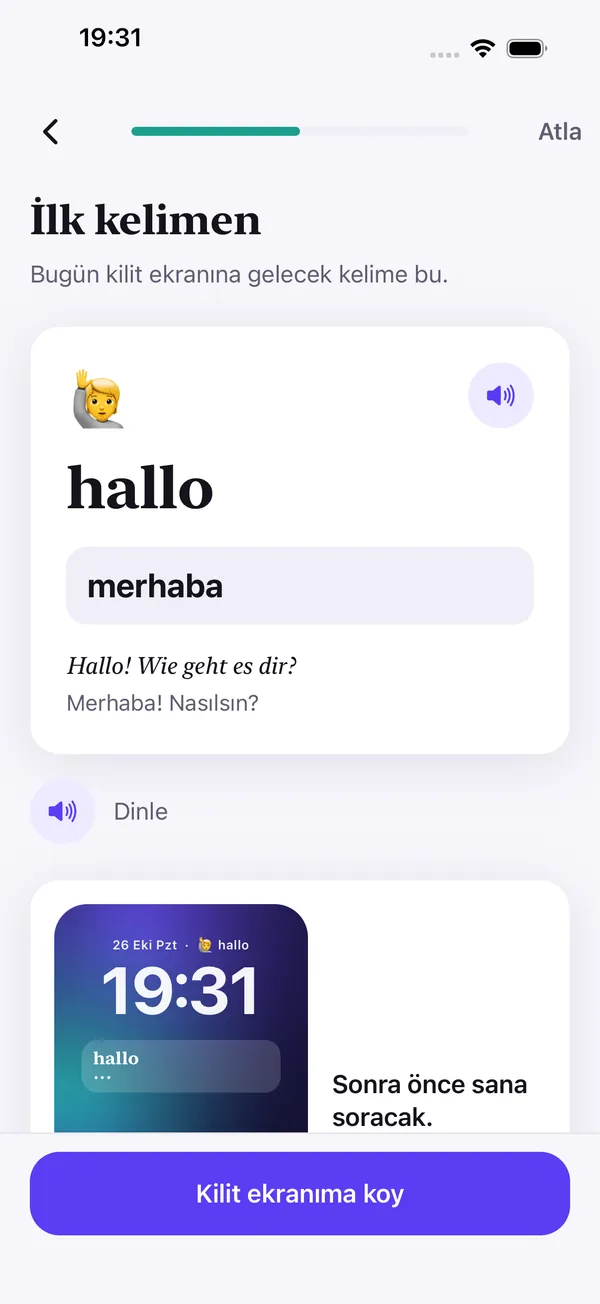
Meet your first wordMeaning in your language, an example sentence and audio. 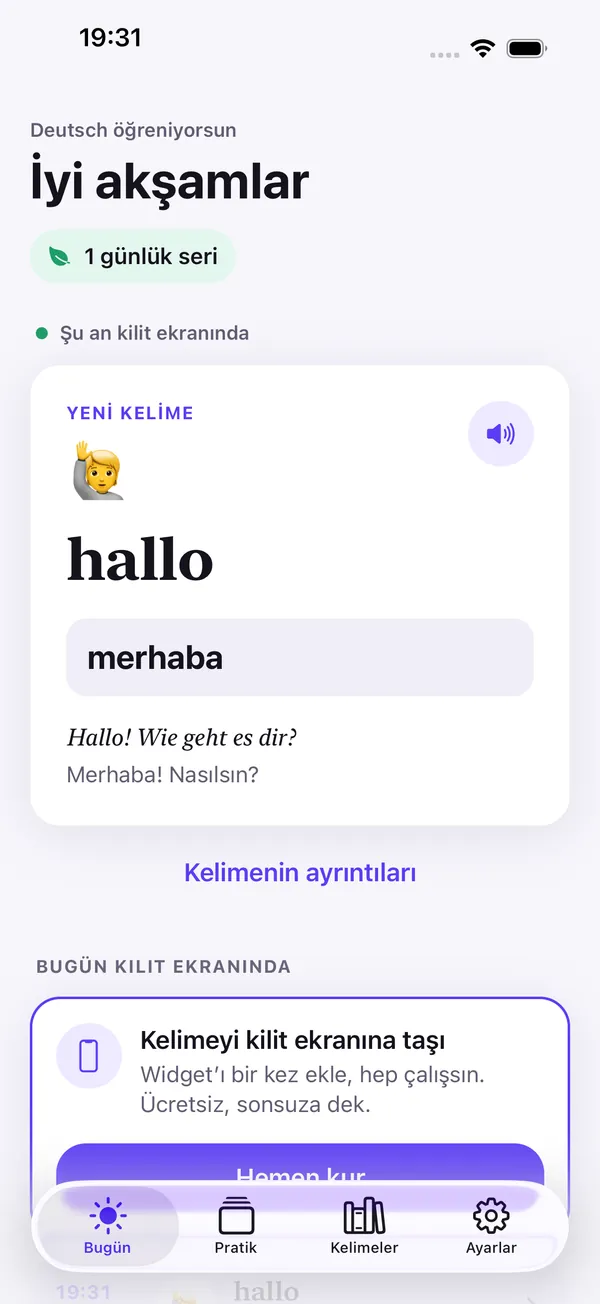
Today at a glanceWhat's on your lock screen now, and what comes next. 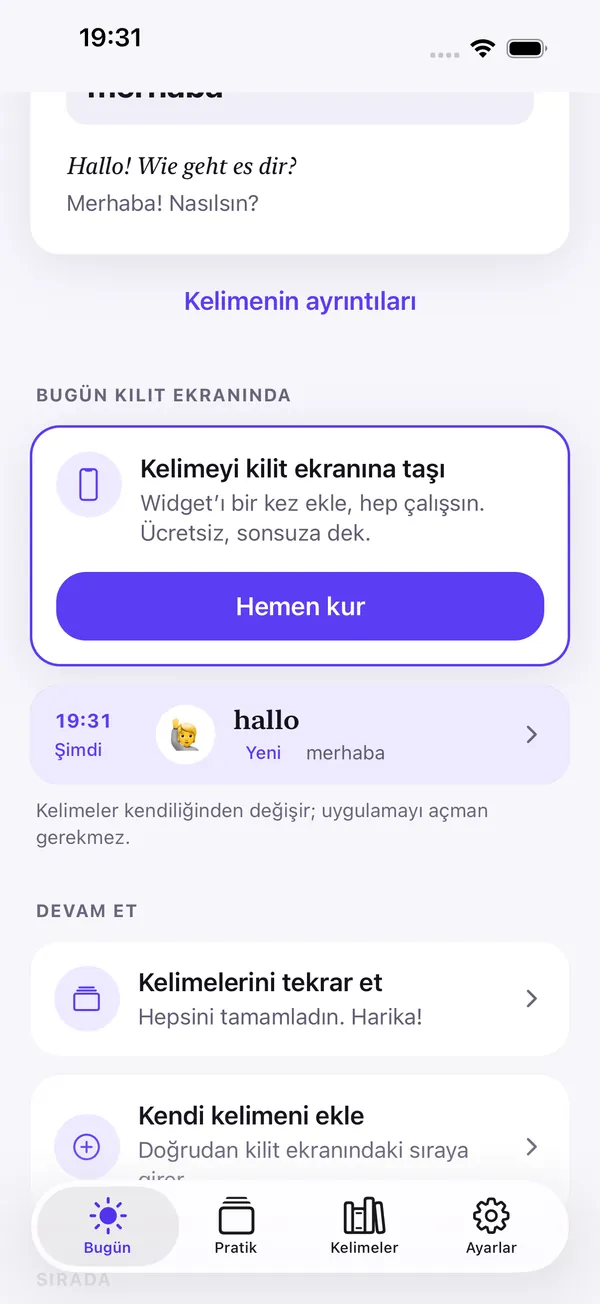
Words change on their ownNo need to open the app. The schedule runs on your phone. 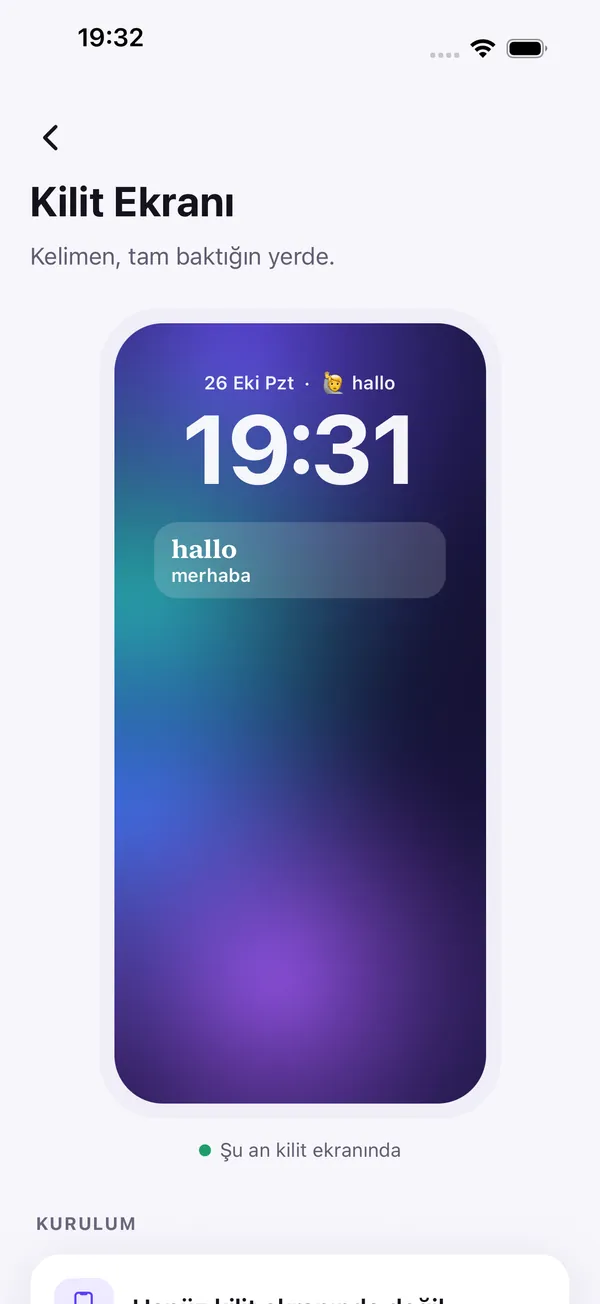
Lock Screen studioPreview the widget and set it up in a minute. 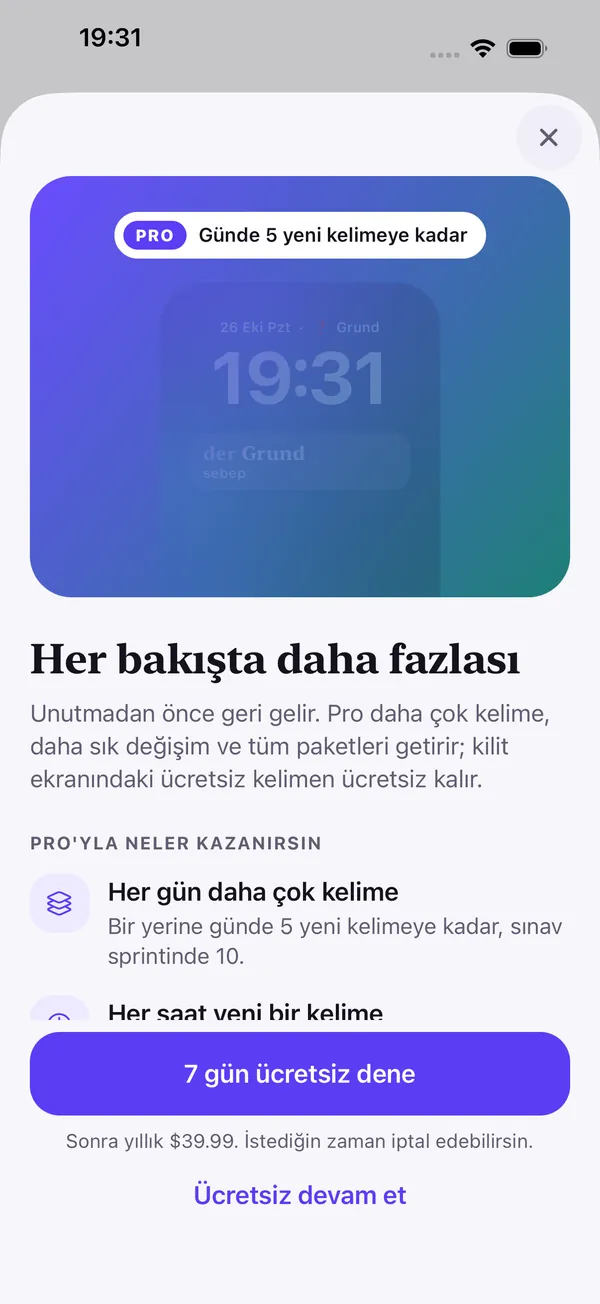
Pro, only if you want more7-day free trial on the annual plan. "Continue free" is always one tap.
Screenshots: Turkish interface, learning German.
It comes back before you forget.
Not random words. Your words, at the right time. Lockling rotates a small set of words through a few "faces", so a glance becomes a tiny self-test with zero taps.
Honest progress. Seen, Recalled, Kept. A word only counts as Kept after you have actually recalled it, and words come back on a 1-2-4-7-15-30-day rhythm until they stick.
Any language, from yours.
Learn any of 15 languages from any other: 210 pairs. Japanese, Korean, Chinese, Russian, Ukrainian and Arabic words come with a readable romanization, and every word can be read aloud by your phone.
- English
- EspañolSpanish
- DeutschGerman
- FrançaisFrench
- ItalianoItalian
- Português (BR)Portuguese
- TürkçeTurkish
- РусскийRussian
- العربيةArabic
- 日本語Japanese
- 한국어Korean
- 中文(简体)Chinese
- NederlandsDutch
- УкраїнськаUkrainian
- PolskiPolish
Free forever. Pro if you want more.
Free
- 1 new word a day
- Every lock-screen surface and every style
- Unlimited reviews and recall faces
- Core A1 + Everyday phrases (300 items)
- Word changes daily or 3× a day
- 3 words of your own, review practice, backup to a file
Lockling Pro
or $7.99 / month · or $99.99 once, for life
- Core A2, B1, B2, topic and travel packs, Academic English (exam-style)
- 3 or 5 new words a day, or a 14-day exam sprint with 10
- Change the word up to hourly
- Choose your lock-screen word: show any word now, or skip to the next one (also from the widget)
- Unlimited own words and list import
- Quiz and listening practice, full history and stats
Pro is about learning content and pace only. Lock-screen styles are never paid, there are no ads, and there is no weekly plan. Prices are shown in the app in your local currency before you buy; the free trial applies to the annual plan for new subscribers.
Built to work without knowing who you are.
No account
No sign-up, no email, no password. Open the app and start.
No ads, no tracking
No advertising or tracking SDKs, ever. Nothing follows you across apps.
Stays on your phone
Your words, progress and settings live on your device and are never sent to us.
Works offline
All words ship with the app. Your lock screen keeps working on a plane.
Read the privacy policy.
Questions, answered.
When can I get Lockling?
Lockling launches on iPhone and Android in late November 2026. Leave your email above and we will send you one message on launch day.
Does Lockling change my wallpaper?
On iPhone, no: Lockling is a widget, so your wallpaper stays exactly as it is. On Android, wallpaper mode draws a small word chip onto your lock screen wallpaper only after you agree. Use your own photo or one of ours; one tap restores your exact previous lock screen.
Is the free plan really free forever?
Yes. One new word a day, unlimited reviews and recall faces, and every lock-screen surface and style stay free with no time limit and no ads. Pro adds more content and a faster pace.
Can I choose which word is on my lock screen?
With Pro, yes: show any word on your lock screen right now, or skip to the next one, in the app or straight from the widget. On the free plan, Lockling picks the word for you on its review schedule.
Which phones does it work on?
iPhone with iOS 17 or later (Lock Screen, Home Screen and StandBy widgets), and Android 8.0 or later (lock screen wallpaper mode, home screen widget and an optional daily notification).
Do I need an internet connection?
No. Words, readings and examples are bundled with the app, and pronunciation uses your phone's built-in voice. You only need a connection to buy or restore Pro.
Is this a full language course?
No, and we will not pretend it is. Lockling keeps a language warm with a few words a day and makes sure they come back before you forget. It is a great companion to a class, a course or a trip.
How do I cancel Pro?
Cancel anytime in your App Store or Google Play subscription settings (in the app: Settings → Manage subscription). Pro stays active until the end of the paid period, and the free features keep working afterwards.
I found a wrong translation.
Thank you! Tap "Report a mistake" on the word, or write to support@lockling.app. We read every report.
Your wallpaper stays. The word changes.
Free forever for one word a day. No ads, no account. Get one email on launch day.
One email at launch, no spam. To be removed, email support@lockling.app. Privacy